Armpit is a native music player for your Subsonic, OpenSubsonic or Navidrome server. It runs on iPhone, iPad, Mac, Apple TV and Apple Watch, on a single purchase. No accounts, no ads, no tracking.
What it is
A native SwiftUI app, written in Swift 6 with strict concurrency, with exactly one third-party dependency: the AudioStreaming audio engine. Everything else is Apple frameworks.
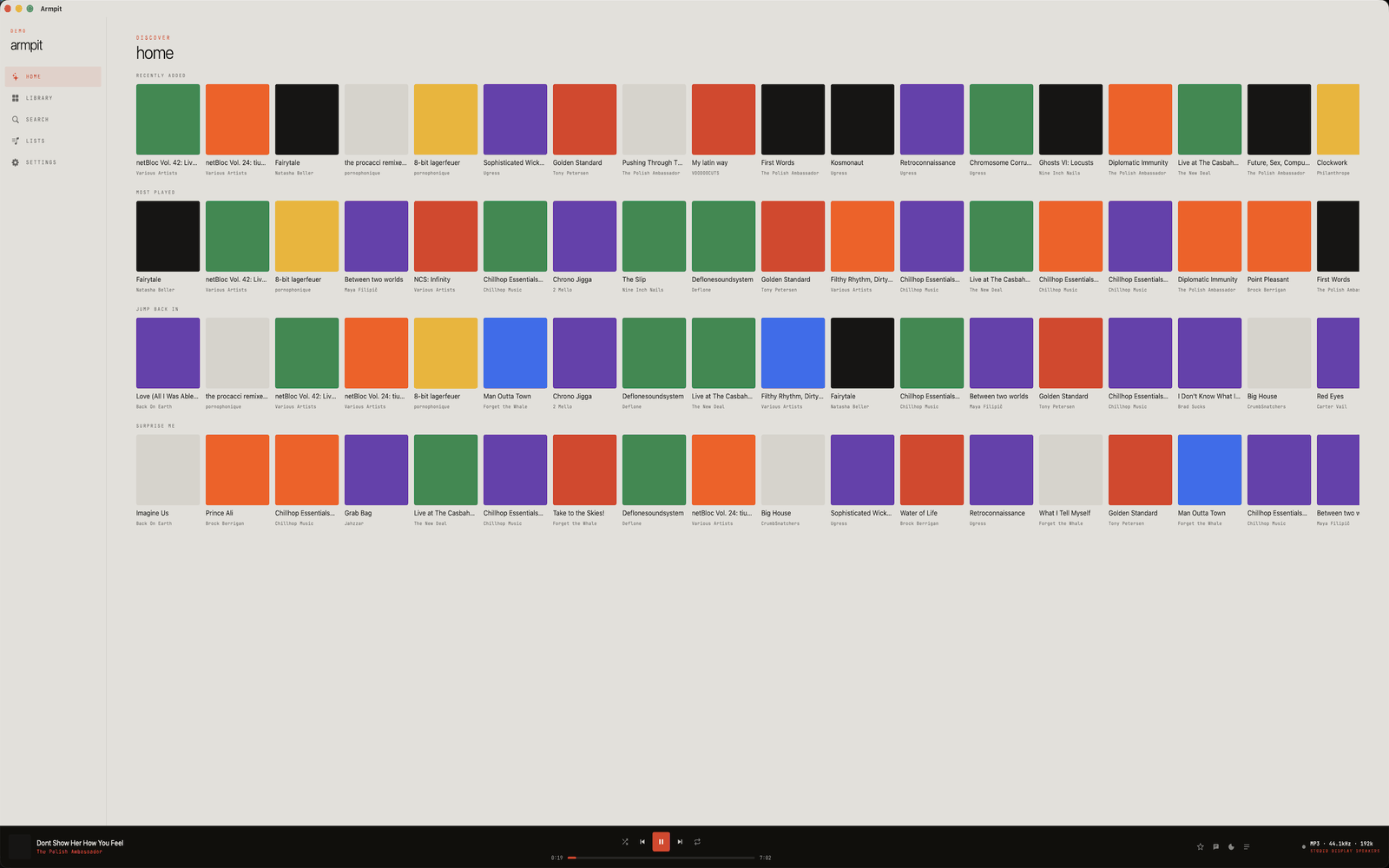
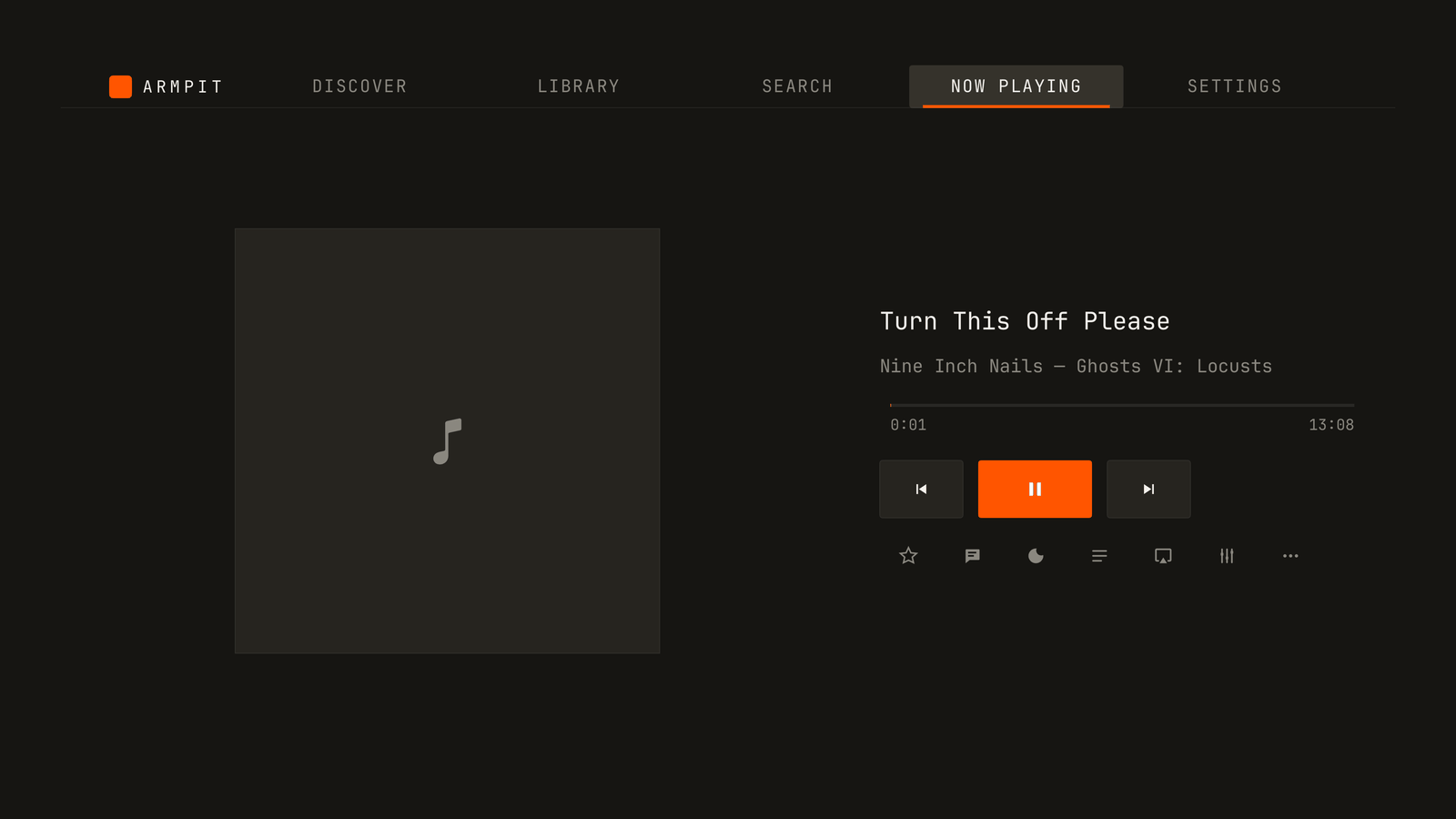
The look is deliberate: mono type, hard controls, a lot of orange. If you like Teenage Engineering boxes, you’ll get the idea.
You connect to your server, browse your library, and it plays. The music is yours and lives on your server; the app only talks to it.
Why it exists
If you already run Navidrome, the weak link is usually the client. The ones out there are either web wrapped in an app, or native but halfway: no real EQ, gaps between tracks of the same album, downloads that aren’t really usable, no watch app, no Apple TV.
Armpit is the attempt at a client that matches the server: in-process audio engine, real gapless, ReplayGain, offline that works, and the same app on every screen in the house.
It’s also a native rewrite: it used to be a React Native app. The current version shares nothing with that one.
Platforms
One purchase covers everything — it’s a universal purchase under a single App Store record:
| Platform | What runs there |
|---|---|
| iOS · iPadOS 26+ | The full app, plus CarPlay |
| macOS 26+ | Desktop app: full-window layout, real menu bar, keyboard shortcuts |
| tvOS 26+ | The full player on the big screen, with Top Shelf |
| watchOS 26+ | Standalone watch app: streams and plays offline without the phone |
The interface is localized in English, Spanish, German and French.
What you need
- A reachable Subsonic, OpenSubsonic or Navidrome server.
- A device on iOS/iPadOS 26, macOS 26, tvOS 26 or watchOS 26.
That’s it. There’s no Armpit account to create, because no such thing exists.
First run
On first launch you enter the server URL, username and password, plus a display name if you want one. The connection is validated before letting you in, so if you fat-fingered something you find out right there instead of three screens later.
Credentials go into the Keychain. The cleartext password is never stored or transmitted: auth uses Subsonic’s salted-token scheme.
What’s inside
Library and browsing
- Library tabs: Favorites, Albums, Artists, Songs, Genres, Radio, Podcasts and Downloads. Each remembers its own sort option, and the ones you don’t use can be hidden from Settings.
- Detail screens for album, artist (biography, top songs, similar artists, discography), genre, podcast and playlist.
- Search across artists and songs, with recent-search history.
- Star and rate items; both reflect back into the Favorites tab.
Playback
- In-process audio engine: progressive playback of local files and HTTP streams, without the “download first, play later” stall.
- Real gapless: the next track is prefetched and queued in the engine before the current one ends.
- Radio and podcasts run through the same engine.
- Queue with shuffle, repeat (off / all / one), next, previous, jump-to and scrub.
- Sleep timer by minutes or until the end of the track.
- Autoplay: when the queue runs dry it extends with similar songs, falling back to random.
- Scrobbles now-playing and finished-track events.
EQ and volume
- A 10-band parametric equalizer inside the audio graph, not a filter bolted on top. Changes are audible instantly.
- ReplayGain per track and per album, attenuate-only, with clipping prevention. Albums play the way they were mastered, without volume jumps between songs.
- Loudness is the system volume: the hardware buttons and Control Center own it, like any decent audio app.
Lock screen, AirPlay and lyrics
- Metadata and artwork on the lock screen and in Control Center.
- Remote commands: play, pause, next, previous and scrub.
- Recovers cleanly from audio-session interruptions and route changes — say, AirPods connecting mid-song.
- Native AirPlay / output route picker.
- Synced lyrics that scroll with playback when the server provides them, falling back to plain lyrics or nothing.
Downloads and offline
- Download tracks with their cover art; if the file is on disk, that’s what plays.
- Offline Mode shows only downloads and suppresses live queries.
- Removing a download reclaims its file and any orphaned cover art.
- Streamed tracks are cached to disk too, with size-capped FIFO eviction.
Playlists and smart lists
- A lists view with your server playlists and local smart lists.
- Create, rename and delete playlists, and add or remove tracks.
- Smart lists are built from rules over data the server can answer: artist, genre, starred, random, recent and frequent. They materialize back to your server.
Apple Watch
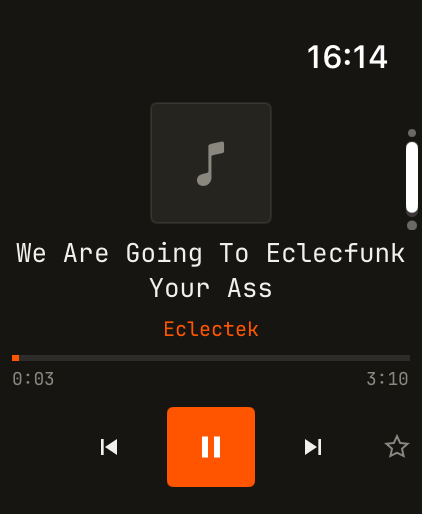
- A standalone app, not a remote: download music to the watch and play it with no phone nearby.
- Direct streaming from the watch when there’s a network.
- Its own downloads screen to manage what you’re carrying.
Apple TV and CarPlay
- On Apple TV it’s the full player, with its own library browsing, search, queue and settings.
- Top Shelf: recently played and newly added albums surface on the Apple TV home screen shelf.
- In the car, CarPlay with the library and playback controls.
Personalization
- Light and dark theme, plus a curated set of accent colors applied app-wide, live.
- Dynamic app icon that follows the accent and light/dark selection, without the system alert every time it changes.
- Per-network streaming profiles: one for Wi-Fi, one for cellular and one for downloads, each with its own format and bitrate. On metered connections the cellular profile is used automatically.
iCloud and sharing
- iCloud sync (key-value store) of preferences, EQ presets and the saved server, across iPhone, iPad and Mac.
- Explicit actions to restore from iCloud, delete the iCloud data, or push this device’s settings over the synced ones.
- Sharing through the server’s share API, which copies a link. If the server reports sharing as unsupported, the option doesn’t show up.
Privacy and security
- Subsonic salted-token auth (
token = md5(password + salt)). The cleartext password is never persisted or transmitted. - Credentials in the Keychain, synchronizable, so restoring from iCloud on a new device leaves you with a working connection. Neither
UserDefaultsnor the iCloud record carries the credential. - An opt-in toggle for self-signed certificates, with the trust override scoped to your server’s host. HTTPS is still the better idea: over plain HTTP the salted token travels unencrypted, and the app reminds you of that when connecting.
- No analytics, no telemetry, no third-party calls. Your data stays on your device and in your own iCloud.
What it looks like
Where to get it
It’s on the App Store: apps.apple.com/app/armpit.
The project page — more screenshots, privacy policy, support and per-release notes — is at armpit.ulm0.com.